

Handle errors in a flow
On the line, a flow that fails must say so, not stop in silence. Node-RED reports the errors of every node in the debug panel, and three nodes let a flow handle them: «catch» receives the errors, «status» follows what each node says it is doing, and «rp-clean-debug» shows whole messages without flooding the editor with images. In this guide you find and fix a mistake in a flow that reads a label.
What you will learn
- Where Node-RED shows the errors of a flow
- How to catch them and see the message that failed
- How to follow the status of the nodes
Before you start
Here the flow reads a photo of a label from the controller's disk, /tmp/line-check/care-label.jpg, and an OCR node reads its text; see Read text with OCR. The basics of the editor are in Introduction to Node-RED.
1. Run the flow and see the error
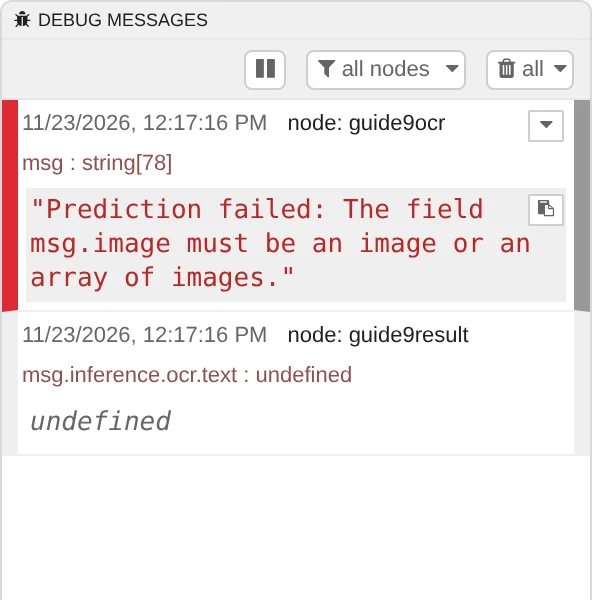
Press the button of the inject node. The debug panel shows an error from the OCR node, «Prediction failed: The field msg.image must be an image…», with the name of the node that raised it, and the debug node at the end receives no text (undefined). Hover over the error and the node lights up on the workspace.
2. Catch the errors
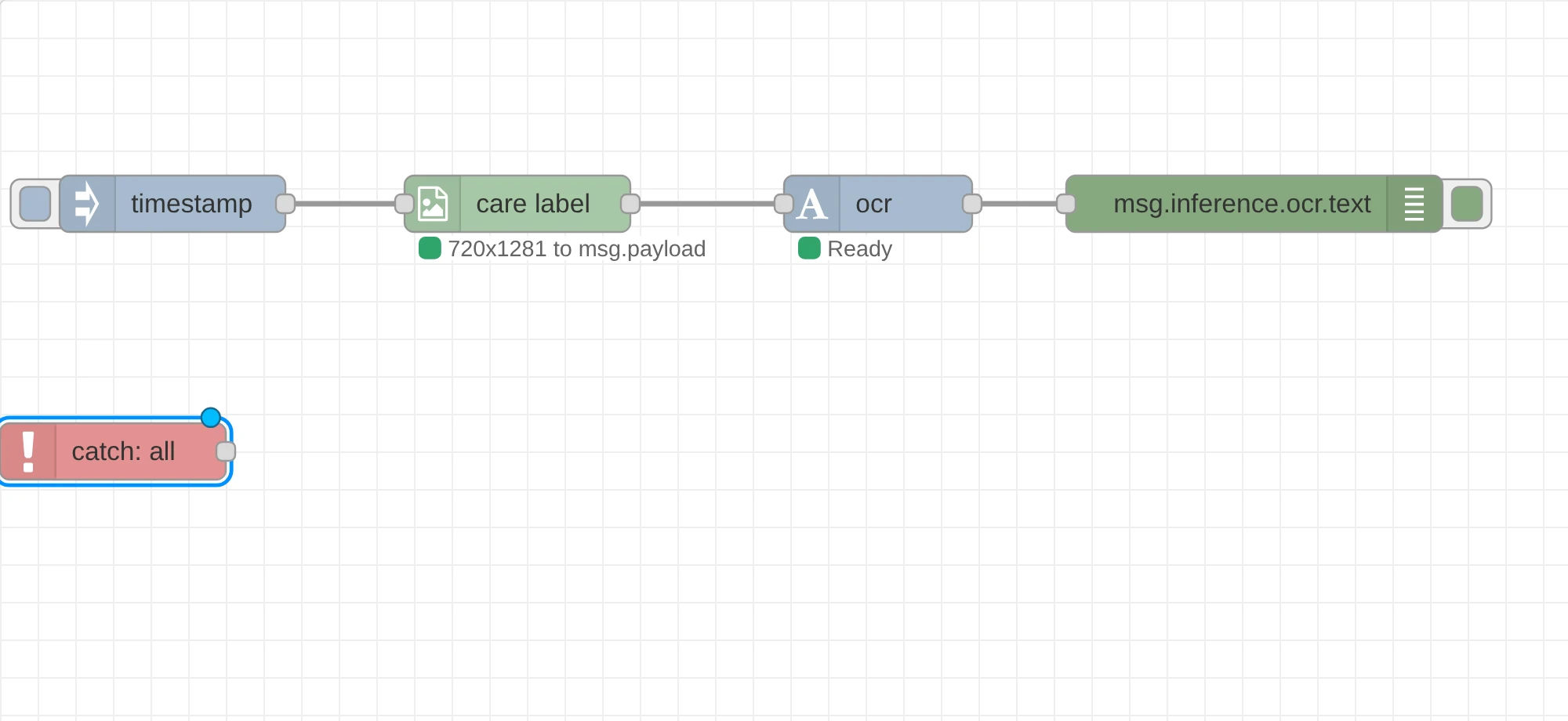
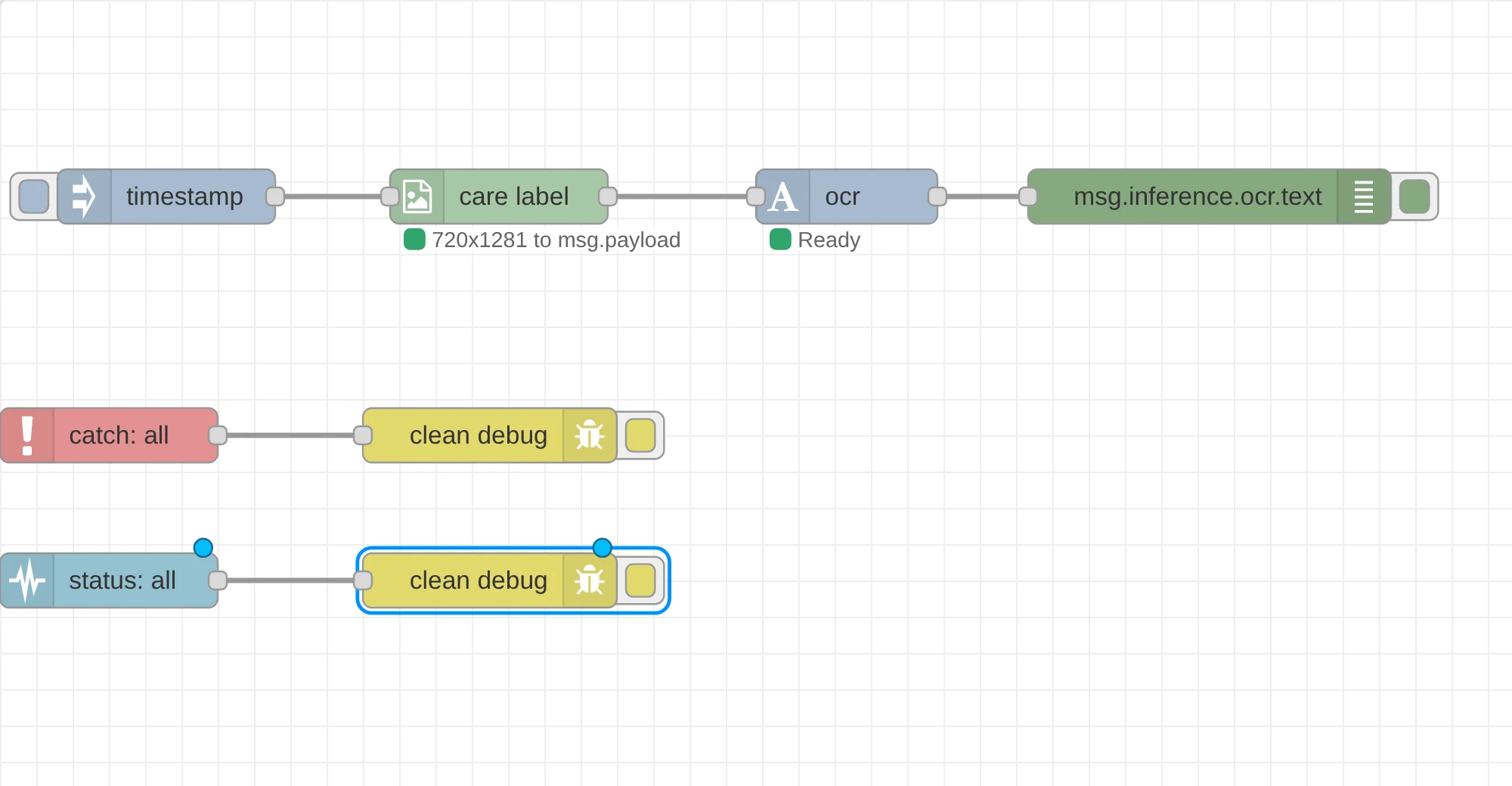
Type catch in «filter nodes» and drag a catch node onto the workspace. It needs no wire in: it receives the errors raised by the nodes of the same tab, with the message that failed. In «Catch errors from» you can limit it to the nodes you choose.
3. Show the whole message
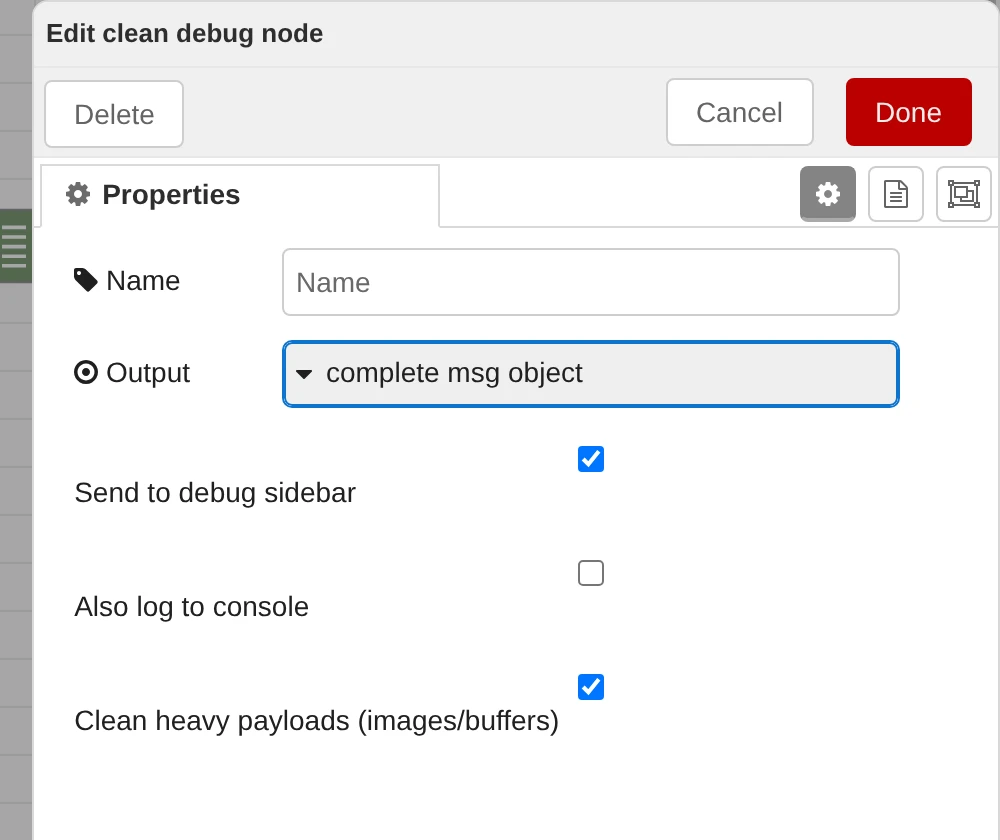
Add an rp-clean-debug node after the catch node and wire them. Open it and set «Output» to «complete msg object». It works like the debug node, but replaces images and other heavy data with a short note of their size, so a whole message fits in the panel. Keep «Clean heavy payloads» ticked.
4. Run it again
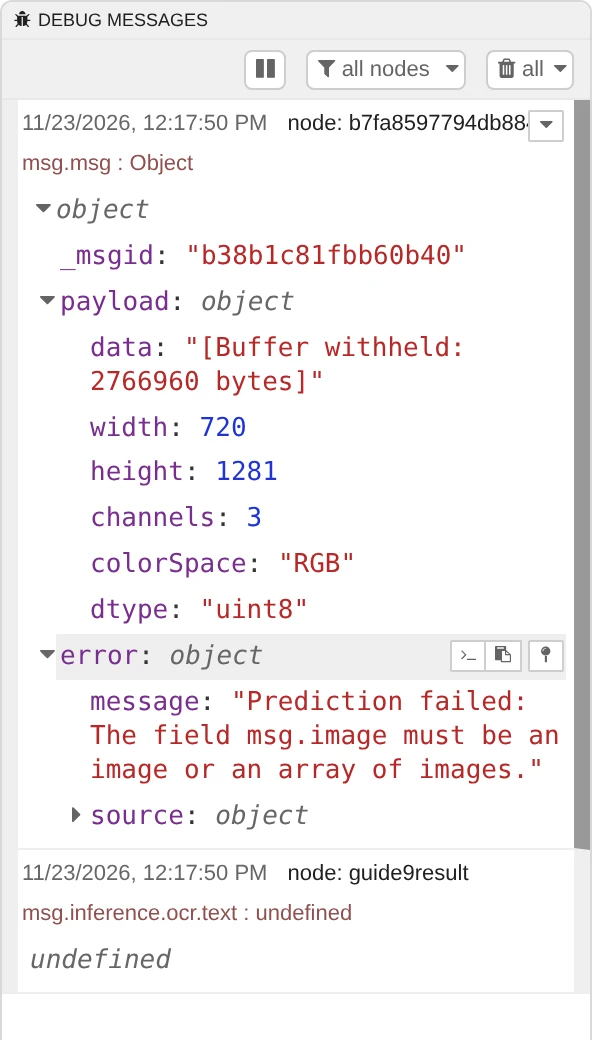
Click «Done», deploy and press the inject node again. The error now arrives at the catch node, and the debug panel shows the message that failed. msg.error says what happened and, in source, which node raised it. The image travels in msg.payload, listed by its size instead of its millions of bytes.
5. Follow the status of the nodes
Add a status node and, after it, another rp-clean-debug set to show msg.status.text. Each time a node of the tab changes the text under itself («reading...», «Ready», an error), the status node sends it on. Rosepetal's image nodes need it: when they fail they turn red and pass the message on with msg.error, instead of raising an error for the catch node.
6. Fix the mistake
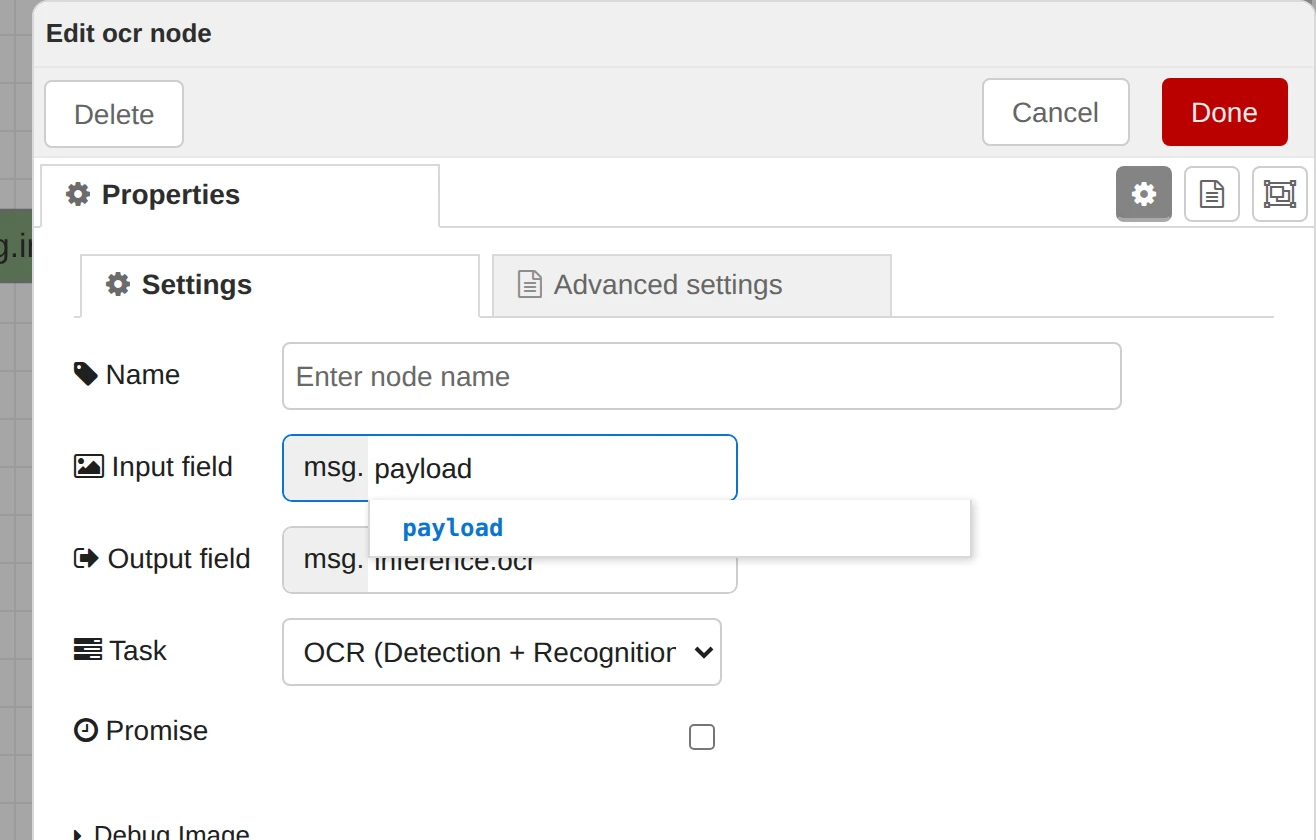
The caught message told what was wrong: rp-image-in left the image in msg.payload, and the OCR node looks for it in msg.image. Open the OCR node and set «Input field» to payload. (Setting «Output to» of rp-image-in to image would fix it too.)
7. Check that it works
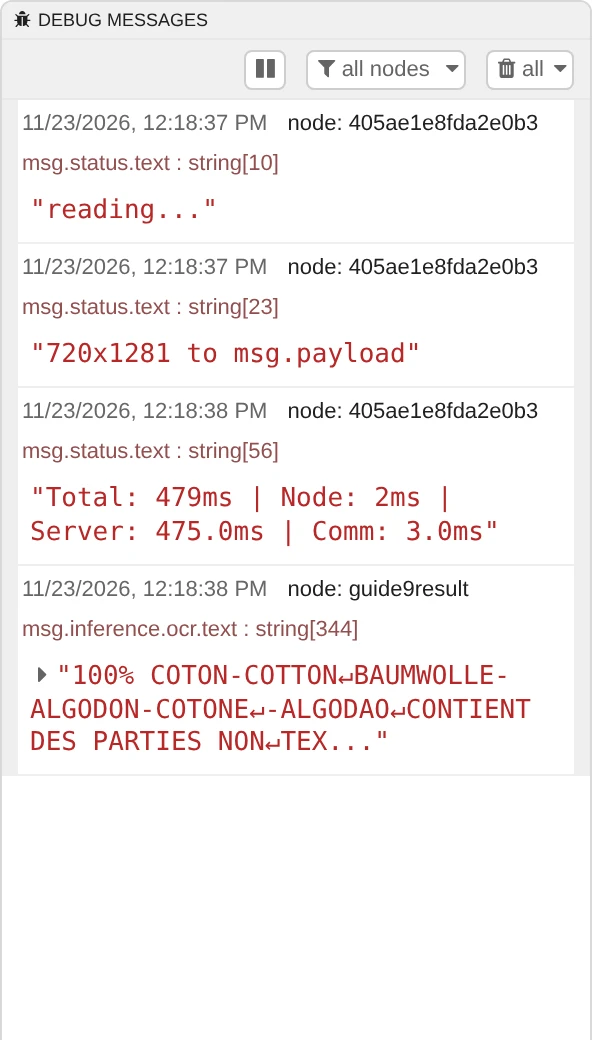
Click «Done», deploy and press the inject node. The status node reports each step, from «reading...» to the time the OCR node took, and the debug node at the end shows the text of the label. The catch node stays quiet.
Good to know
- Which nodes raise errors. Node-RED's own nodes, the function node (
node.error("…", msg)), the inferencer and the OCR node raise errors that a catch node receives. Rosepetal's image nodes (rp-image-in,rp-resizeand the rest) do not stop the flow: they turn their status red, write a warning in the debug panel and pass the message on withmsg.error. Check it with a switch node onmsg.error, or follow them with a status node. - Catch only some nodes. With «Catch errors from: selected nodes», a catch node handles the errors of the nodes you tick, for example to retry a camera and leave the rest to a general catch node. «Ignore errors handled by other Catch nodes» makes that general node skip what a specific one already handled.
- When a message is done. The «complete» node sends a message when the nodes you choose have finished with theirs, to count the images that went through the whole flow.
- On a panel. The
ui-last-errorwidget shows the last error on a panel, for the operators.
Next steps
Recorded on Rosepetal release 1.8.15, Node-RED 5.0.10.